The joy of working on old computers
Happy Marchintosh!
You may have seen a few posts I've made in the past that involve running stuff on old computers. It's a little bit of an old man hobby—if they can work on old cars, I can have a computer or two!—but I'd say it's more than just a nostalgia thing. Allow me for a moment to talk about the different ways I think it's cool!
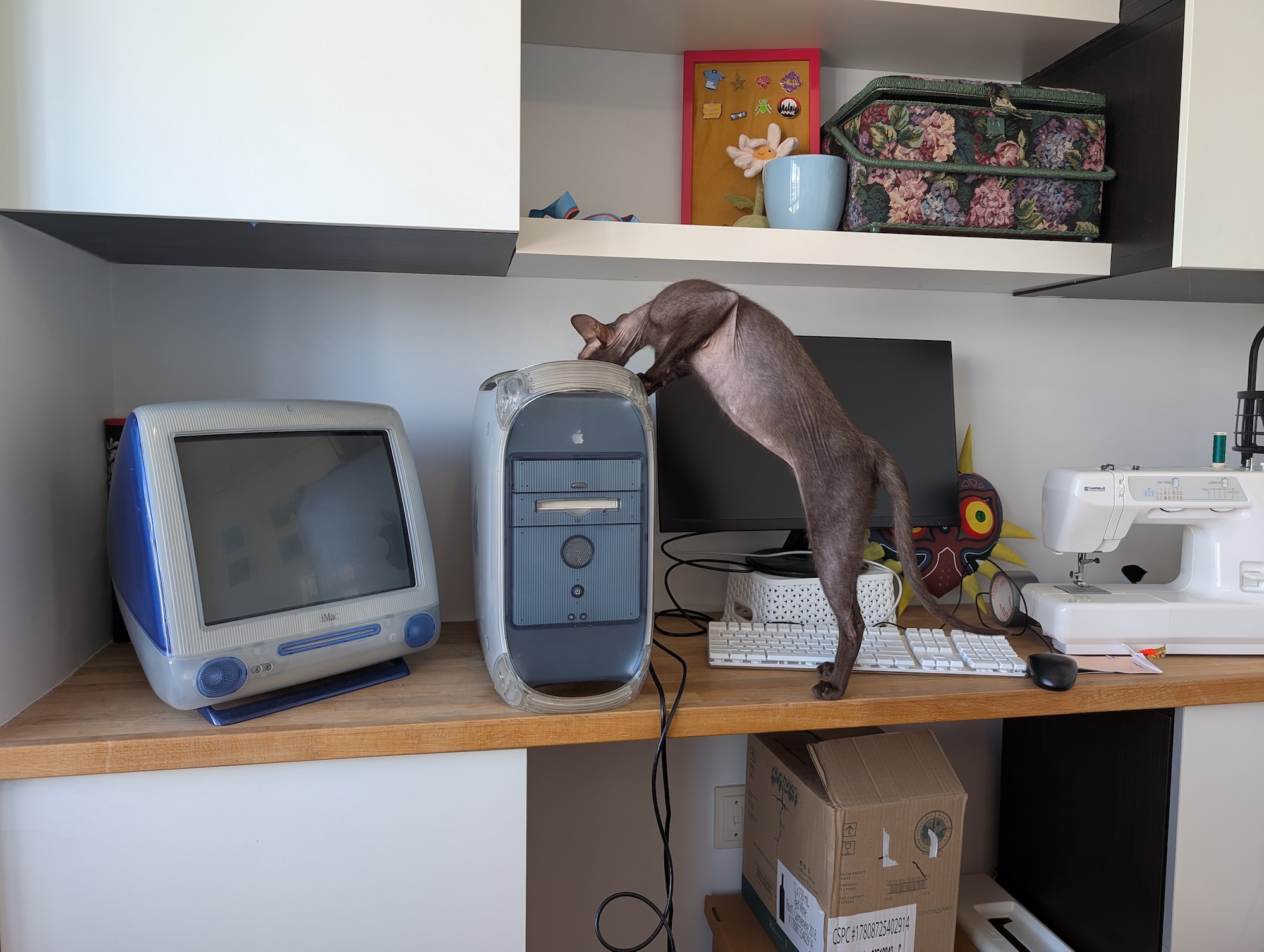
My iMac G3 and my PowerMac G4. And my cat Pigeon.
Low-stakes problem solving
I got into programming in part because I find the act of programming fun. You get a bunch of little problems to tinker with and try to solve. A lot of the time spent getting old computers to work is also kind of like that.
Actually, setting up software on any computer is kind of like that, but the context is very different. When I'm doing work stuff I dread having to set up new tools because it's slow and finnicky and takes time away from main thing I'm trying to work on. But it's the whole point when working on an old computer, so it gets my focus without my impatience! I notice I react similarly when it comes to sound. I work hard to make sure my phone makes no noises, and I turn off as much as I can on my work computer. But when I'm using an old Mac running OS 8 where every user interaction comes with subtle sound effects? Delightful!
Anyway, I have two old computers, one of those colourful first-gen iMacs, and a PowerMac G4 tower. I would have just stuck with the iMac (getting it connected to the internet triggered a 24-hour debugging journey of its own) but the CRT screen was getting old, and the RGB beams were getting out of alignment, giving me a bit of a headache trying to read small text. Normally I'd jump at a thing like that to fix, but the super high voltage in a CRT scares me. I'm not enough of a professional to want to mess with that. I accepted my limits and bought a second computer, the G4, that I could plug an external monitor into.
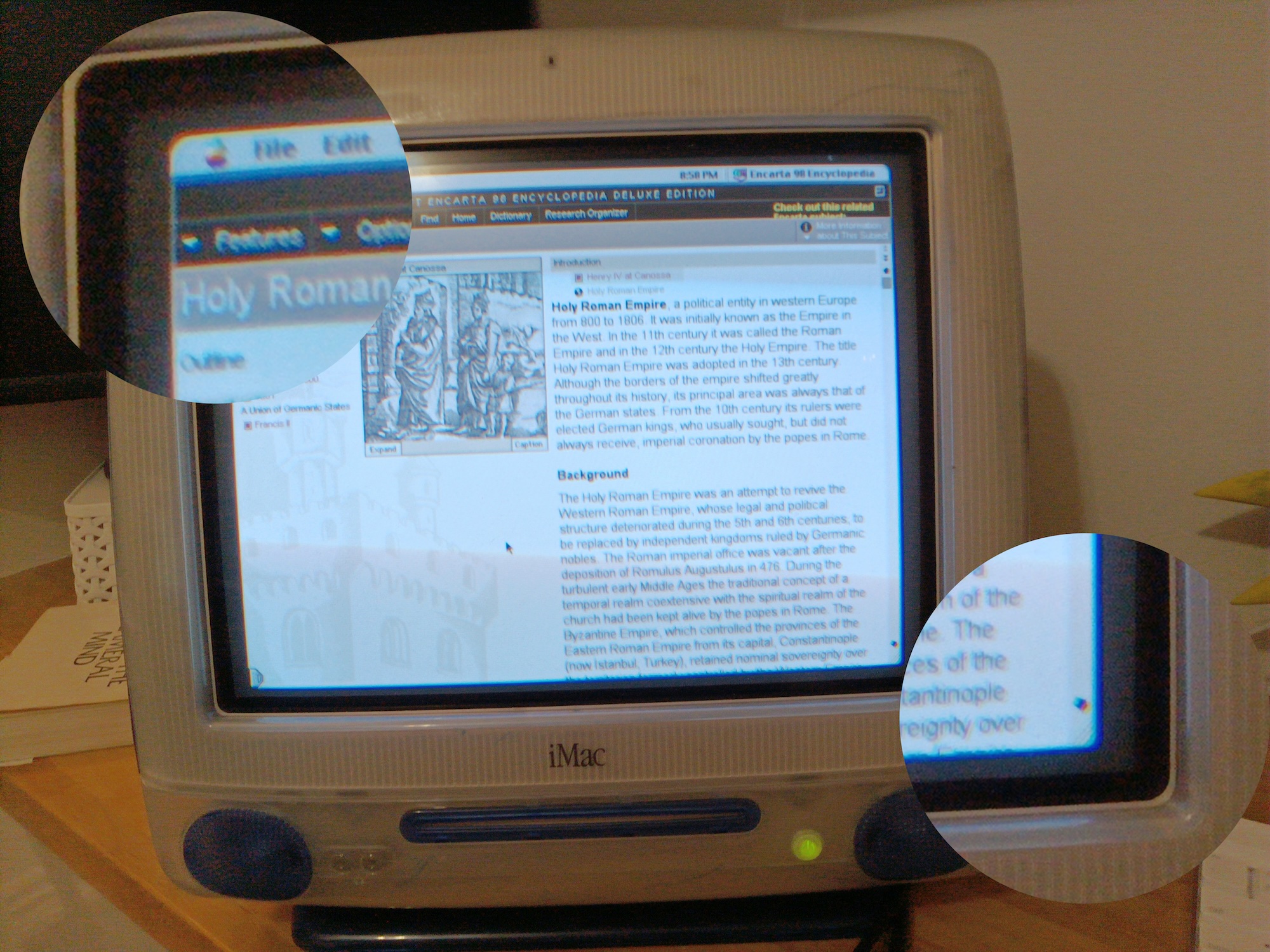
An Encarta '98 article on the iMac. See how the top left has a red border and the bottom right has a blue border? That's the RGB convergence being out of whack. It makes all the text kind of blurry and hard to focus on.
When I turned it on, it didn't initially turn on all the way. It would start playing the Mac startup chime, but then it'd get cut off early and it would turn off. So some parts were clearly working, but not everything. I suspected it might be a faulty memory thing. There were four RAM sticks in there to begin with, maybe one was unreliable and would cause a crash when used? I tried taking them out one at a time and testing startup to see what it would take to get past the startup chime. I found that there was, in fact, one RAM stick causing the problem, and startup would get further with it removed!
It would then successfully boot up Mac OS X, but then freeze and crash after a short amount of time. But it was definitely working before then, because I could open apps, change system settings, etc. It seemed related to the Classic environment, where it boots OS 9 on the side to let older apps continue to run alongside newer ones, as the Classic startup loading bar never completed. I rebooted again and stopped it from starting up Classic, and... there was no crash! It just kept working. I could even open up Safari and connect to the internet and such. So what was stopping Classic from working?
The next thing I looked into was the PRAM battery. It's something you want to take out of any old computer so it doesn't leak or explode or something and damage the actual computer. All it really does is keep the clock going when the computer is off, so it's not even all that necessary. I removed the old one and ordered a replacement, but in the mean time, I was just using the computer without one. In theory it should be fine, but it is a notable thing that the computer would normally have but at the time did not, so it was a suspect. The system clock is super wrong when you turn it on without one, going back to 1970, but that can be manually corrected after boot. I cancelled Classic from starting up, manually moved the clock ahead to the present time, and then started Classic again, and it was able to launch successfully! For some reason, some part of the OS 9 startup process was breaking when the system time was too far in the past. My workaround got me unstuck, and the problem went away fully once I got my replacement battery.
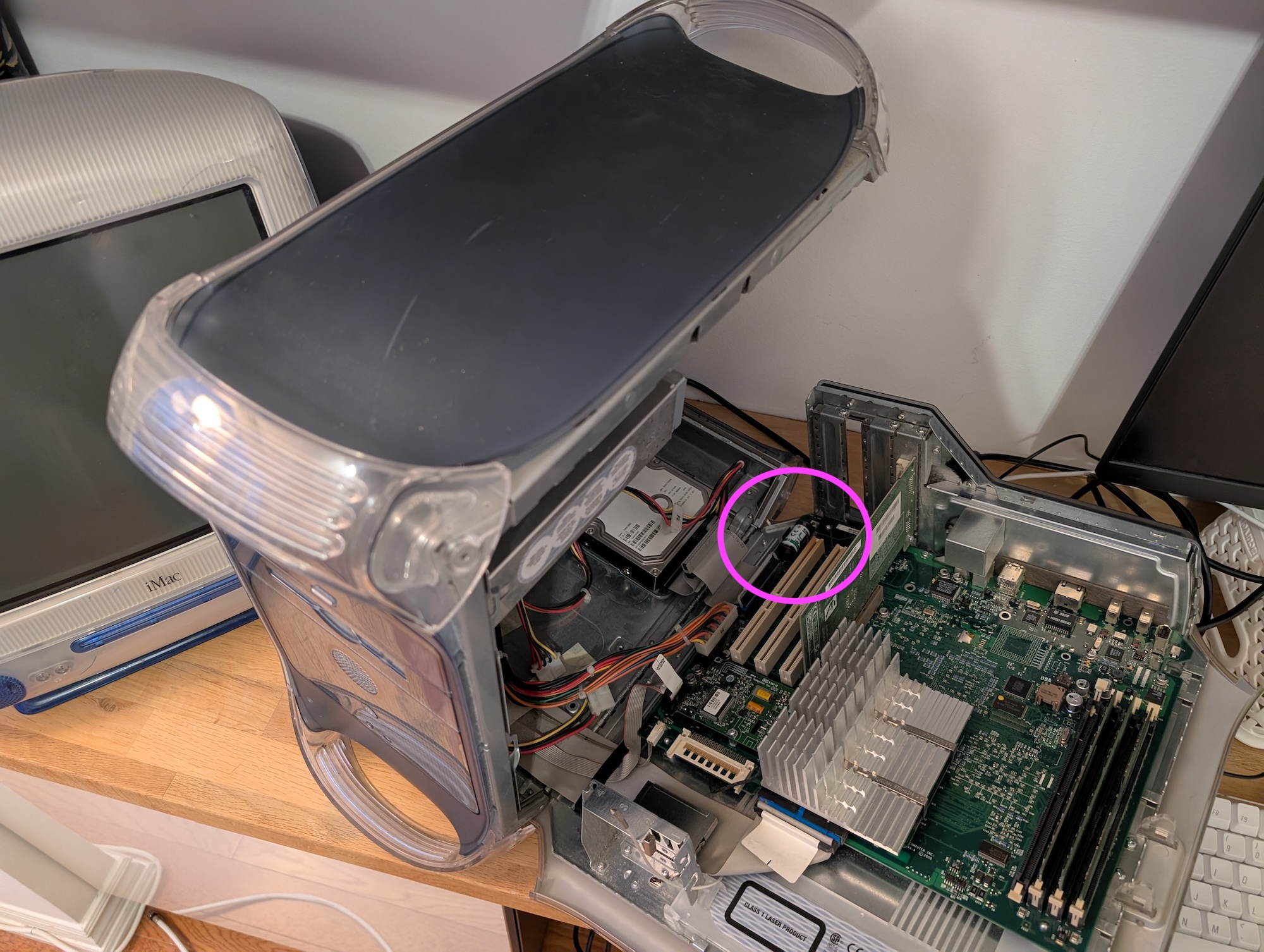
This guy is the PRAM battery. Super useful how easy it is to open up the G4 because I was opening it up quite a lot to debug this stuff.
I went through a similar sort of adventure trying to get files off of the computer later, after my partner's USB stick from high school bit the dust. I ended up installing a piece of software called Dave(!!!) to try to access a samba share from my apartment server. It didn't end up working, but downloading Dave was too good of a bit to pass up. I ended up setting up an AFS file share on OS X that my current Macbook was able to connect to and grab stuff from. Every task is a fractal of little problems that show you new tools and technologies!
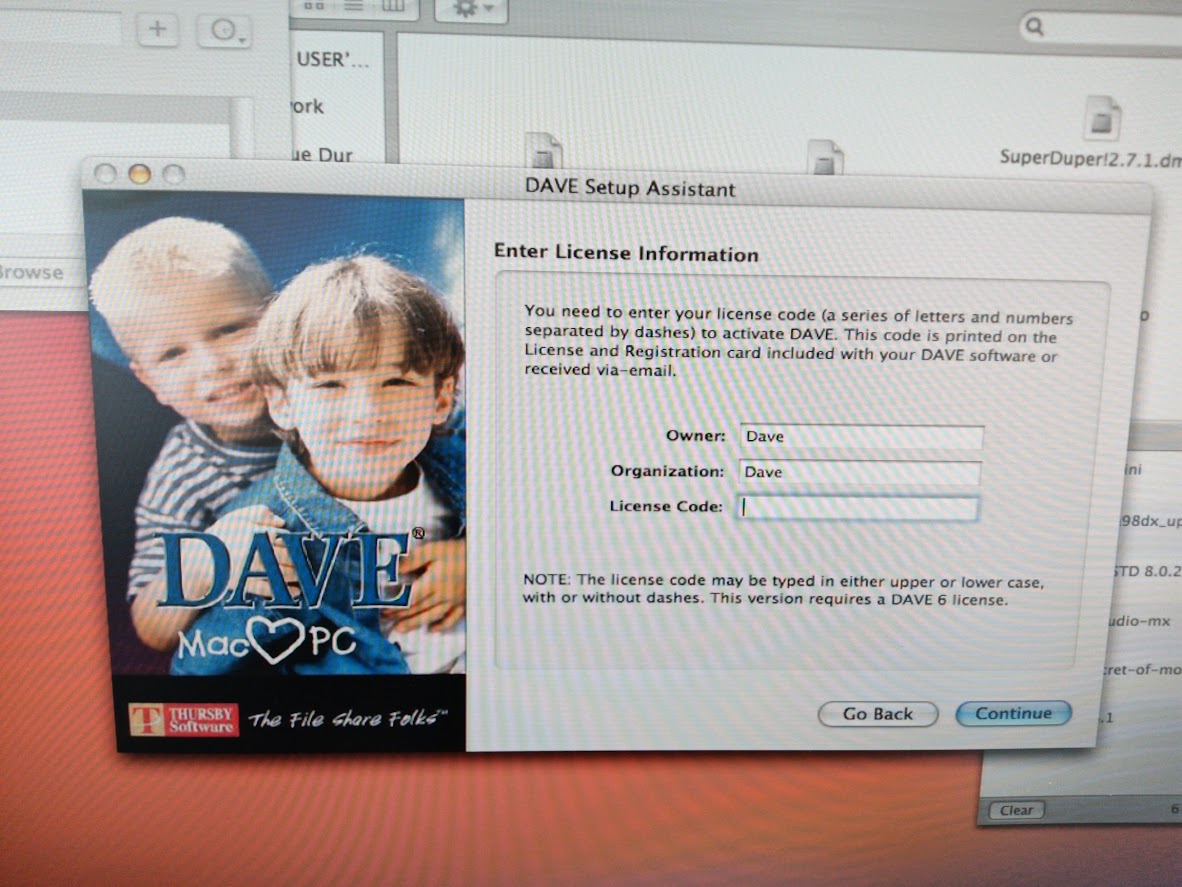
You telling me I need a license to run Dave??
It's pretty satisfying making progress and testing little things. And at the end you have a working computer!
A new perspective
Dan Carlin describes himself as being "addicted to context" and I can relate. Everything in our ambient computing environment, to which we don't give a second thought, came from somewhere, and I love to know about its history.
I mentioned earlier that OS 8 has sound effects for UI interactions. Apparently that was new with Mac OS 8 on that colourful iMac, but it's gone in the following generation of products. It's interesting to me that they tried it and then walked it back so quickly. Meanwhile, sound effects for UI are standard in games. I wonder if sounds initially made the iMac more approachable, but then as it became a work tool for many, the sounds just got on people's nerves.
While working on a project where I recreated a similar sketch in progressively older versions of Processing, I used Snapz to capture screenshots and screen recordings. I noticed that the version for early OS X has the same keyboard shortcuts for grabbing the full screen or just a window as in contemporary MacOS. But OS X did not come with any built in screenshot tools. Suspicious... did Apple copy a third party tool and effectively eliminate its business? It wouldn't be the first time. But a blog post from Marcin Wichary explained that it's even older than that, and also explains why the keyboard shortcut numbering starts at 3.
A big one for me, and honestly what I spend most of my time on the G4 looking at, is Microsoft Encarta '98. It's a fairly mature iteration of a commercial realization of hypertext—still a relatively new concept for most people in the late '90s—that feels surprisingly foreign to modern sensibilities. The obvious comparison is to Wikipedia. Both attempt to be a knowledge resource with lots of links to related content. The community-driven approach to content creation that Wikipedia uses has definitively won out over the centralized, privatized Encarta approach, but there's a lot about Encarta's execution that is fascinating and could still be mined for ideas today. While Wikipedia is clearly a multimedia database, with plenty of images, videos, and sound snippets, its use of multimedia feels pretty conservative. You've got articles, and there are a few bits of media embedded in the article at relevant places. Encarta does that but goes a lot further. Why start with an article when you can start with a large, scrolling visual and audio collage around a subject, grouping conceptually similar articles in the arrangement, often giving a sense of temporal progression, with each collage item linking out to an article? Why not have interactive charts where you can choose which data to compare out of a set? Why not have proto-Google Street View scenes of famous buildings, insides of factories, and the space shuttle? Why not include National Geographic articles, and other news reports, in full? (And, of course, why not bundle a medieval-themed quiz game?)
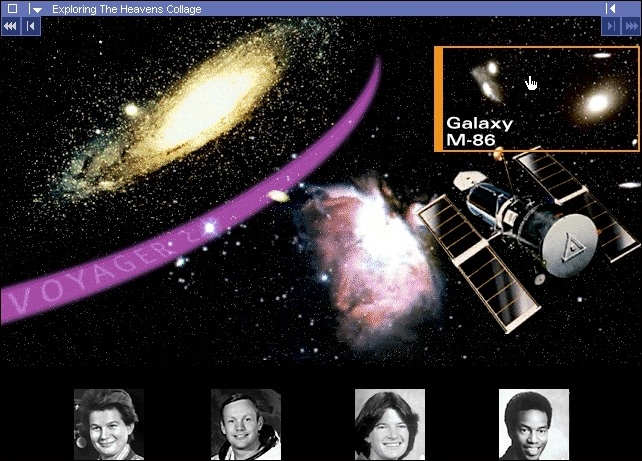
Clicking around in a long, horizontal-scrolling collage about space. There is also ambient background music.
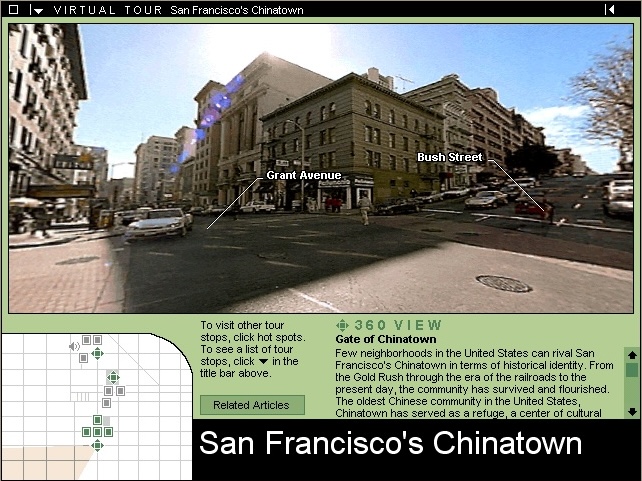
Proto-Street View of San Francisco's Chinatown
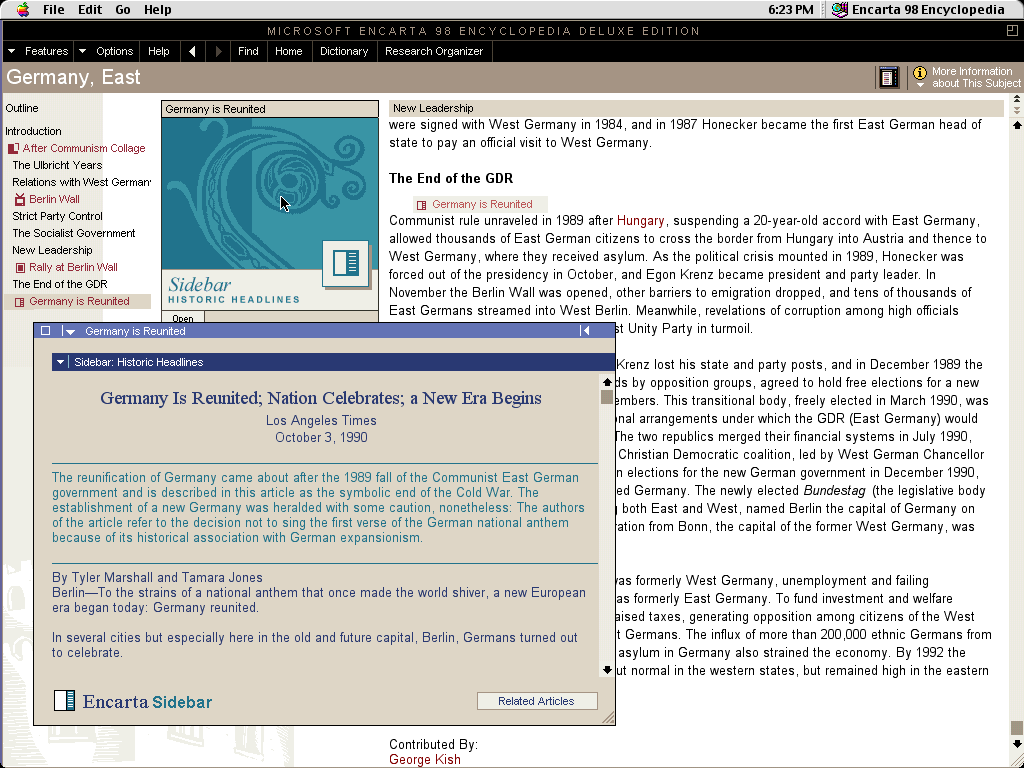
Articles often include full related articles from other publications.
Its approach to internet content was also eye opening. For context, I'd seen a project in the past called Wayback Proxy, which proxies every web request through archive.org's Wayback Machine to let you browse (most of) the internet as it existed at points in the past. I thought it was a cool idea, but I didn't pay too much attention because I could already look at a site or too on archive.org directly, and proxying all my internet traffic seemed unnecessary. Well, Encarta links out to websites from its articles and news updates where one can read more about a topic. Routing IE5 in OS 9 through Wayback Proxy lets me click those links and have it work basically seamlessly, and it made Wayback Proxy and the wayback machine in general really click with me. There are so many little sites out there... I just didn't know about them! I just needed to have a central resource point me towards them. Wait a sec, that's just what Yahoo! started as. Encarta was doing something somewhat similar. I feel like I'm rediscovering and really feeling the reasons that motivated the creation of these tools. Now I'm out here reading about volcanoes from a university subdomain and reading a letter from the composer who pieced together Elgar's unfinished third symphony on The Elgar Society's site.
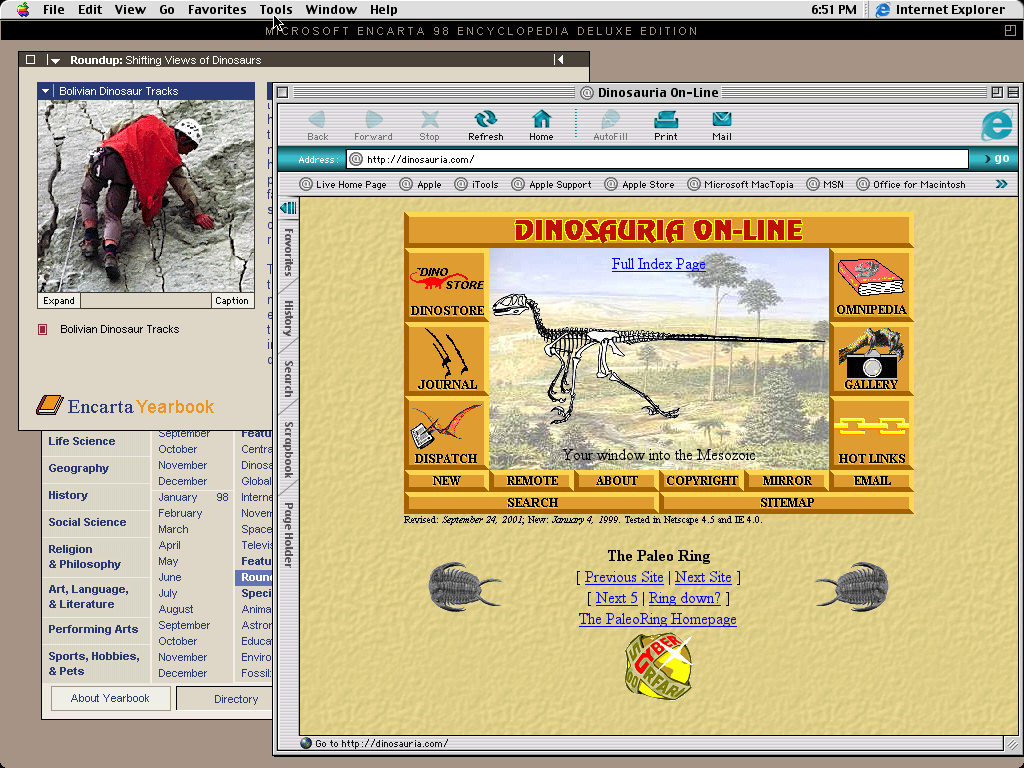
Reading an article about dinosaurs, you can click out to a dinosaur info site. I appreciate that their title uses the same font as the movie poster for The Room. I'd recognize that R anywhere.
I meantioned Wayback Proxy made link-clicking work basically seamlessly. Well, some of their links still broke, because rather than linking directly to their site, they linked to an MSN tracking server that would redirect you to the actual site. The wayback machine didn't capture the tracking URLs, just the real ones. It's easy enough to delete the tracking part of the URL to get to the site, but it's both funny and sad that people were doing tracking links all the way back in 1998 when the internet was still so new. It must have already been clear that browsing data was valuable.
The writing itself also offers a different perspective. Every article from Encarta '98 is dripping with dramatic irony for a reader in 2026. Articles about peace talks between Israel and Palestine being promising? Ha ha. Ha. Oh boy. Articles about the space shuttle Columbia? Oh no. Sweet summer child. But even aside from the obvious things, there are a lot of subtle differences in perspective in the articles. There is a clear optimism about technology's ability to connect the world, with the idea that access to information will inspire global kinship and bring about peace and prosperity. While still very America-centered, there is still a real joy in the way Encarta presents other cultures, their histories, their victories and struggles, their art and culture. Articles about science and technology are written accessibly enough for anyone to jump in. The software and writing assume you are interested in what it has to say and assume you are willing to engage. It's quite endearing. Similar content could exist now too, but it involves wading through advertising, clickbait, ragebait, a fight for your eyeballs, and software with a general unwillingless to engage you deeply. I really wish the optimism of '90s tech turned out to be well-placed, but I think the thesis that more connectedness leads directly to a freer, more tolerant society has been proven false. The optimism of Encarta is bittersweet to read in 2026.
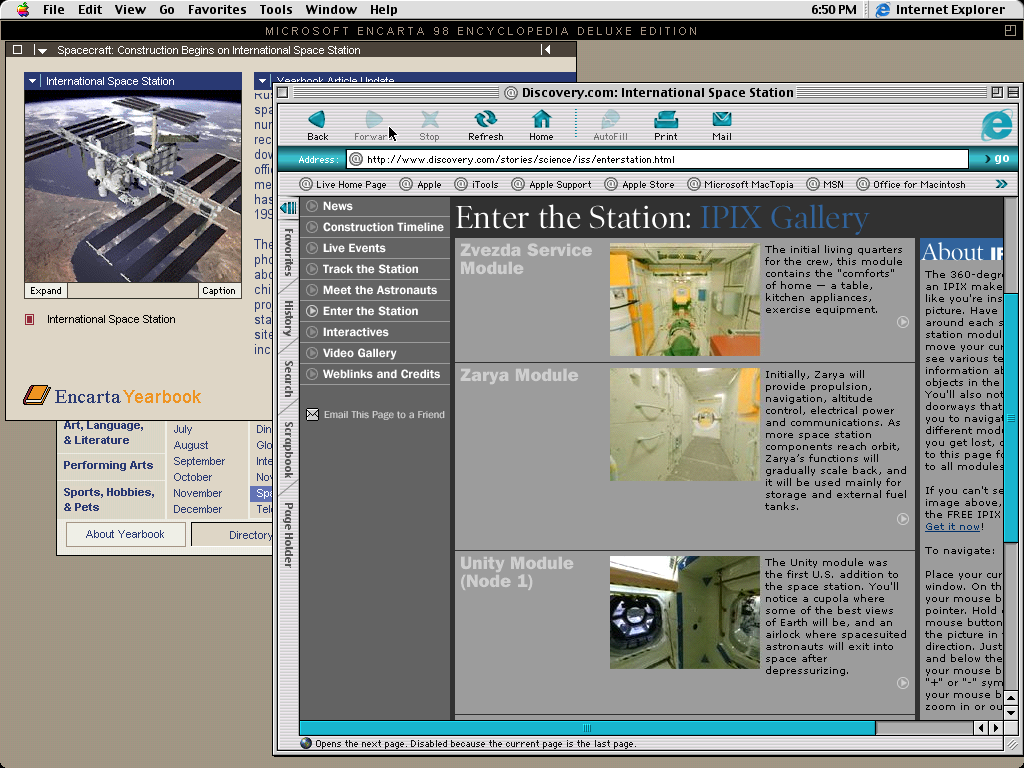
An Encarta article from '98 talks about the construction of the ISS being underway. A link to the Discovery website has some slightly newer info where it's simply new.
Despite all that, reading the small websites linked to from Encarta, in their archived older state, is a breath of fresh air. They're simple, the design is garish, and their existence is charming. They aren't trying to do much other than share information. They're little windows into the people who made them via the things they cared about. I suppose that's the ideal that a blog like this one tries to live up to as well.
Getting Started
If any of this sounds at all interesting to you, you don't have to go out and buy a computer—there's this amazing project, Infinite Mac, that runs old Mac OSes inside of your browser. While not every application will work here, many of them will. If you're interested in perusing the design of yesteryear's software, this is a super easy way to jump in.
I also linked earlier to a blog post by Marcin Wichary. His blog is a great resource for examining contemporary software through, among other things, the lens of their history. I'll also mention Stone Tools, a blog about trying to sit down and get work done in old software. Both of those blogs are great fun and open my eyes to details and history that I would not have otherwise been aware of.